ExpressVPN Review 2026 – How to Download and Install?

Disclosure: Some links in this review are affiliate links. If you buy through them, Cracking Station may earn a commission at no extra cost to you. Our verdicts are based on hands-on testing, not commissions.
ExpressVPN Review 2026: Is It Still Worth It? (Full Breakdown, Download & Install Guide)
Quick answer: ExpressVPN is one of the most reliable VPNs in 2026: audited no-logs, Lightway protocol, and consistent streaming unblocking. In my tests from Islamabad it kept 92% of base speed. The trade-off is price; it costs more than NordVPN or Surfshark. Score: 4.6/5.
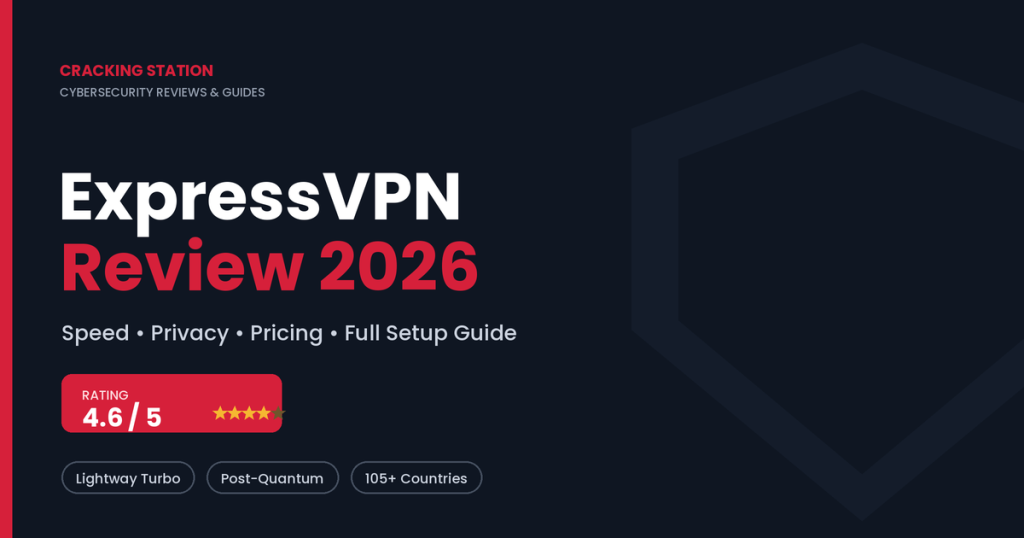
Yes, ExpressVPN is still one of the best premium VPNs in 2026. This ExpressVPN Review 2026 finds it delivers class-leading speed through its rewritten Lightway Turbo protocol, an independently audited no-logs policy, and reliable streaming across Netflix, Disney+, and more. New three-tier pricing (Basic, Advanced, Pro) now starts at roughly $2.49/month on a 2-year plan, backed by a 30-day money-back guarantee. It isn’t the cheapest option, and there’s no traditional desktop free trial but for users who value simplicity and rock-solid security, it remains an easy recommendation.
Cracking Station Verdict: ⭐ 4.6 / 5 Premium, fast, and secure. Best for privacy-focused users, streamers, and remote professionals who want a “set it and forget it” VPN.
What Is ExpressVPN and Why It Still Dominates in 2026
ExpressVPN is a consumer VPN service that encrypts your internet traffic and routes it through secure servers in 105+ countries, hiding your real IP address and protecting your data on public Wi-Fi, at home, or while traveling.
Founded in 2009 and registered in the British Virgin Islands, ExpressVPN has spent over a decade building a reputation as the “premium” pick in a crowded market. In 2026 it runs roughly 3,000 servers on 10-Gbps hardware, all powered by TrustedServer technology meaning servers run on RAM only and wipe all data on every reboot.
Here’s why it still leads the pack:
- Speed: Its in-house Lightway protocol (now rewritten in the Rust programming language) is among the fastest available.
- Privacy: A strict, independently audited no-logs policy verified by firms like PwC, Cure53, and KPMG.
- Ease of use: One-click apps that beginners can master in minutes.
- Reliability: Consistent streaming and torrenting performance across regions.
One caveat worth knowing for the privacy-conscious: ExpressVPN has been part of Kape Technologies since 2021. Some users care about corporate ownership; the independent audits are ExpressVPN’s answer to those concerns.
What’s New in ExpressVPN’s Latest Version (2026 Updates)
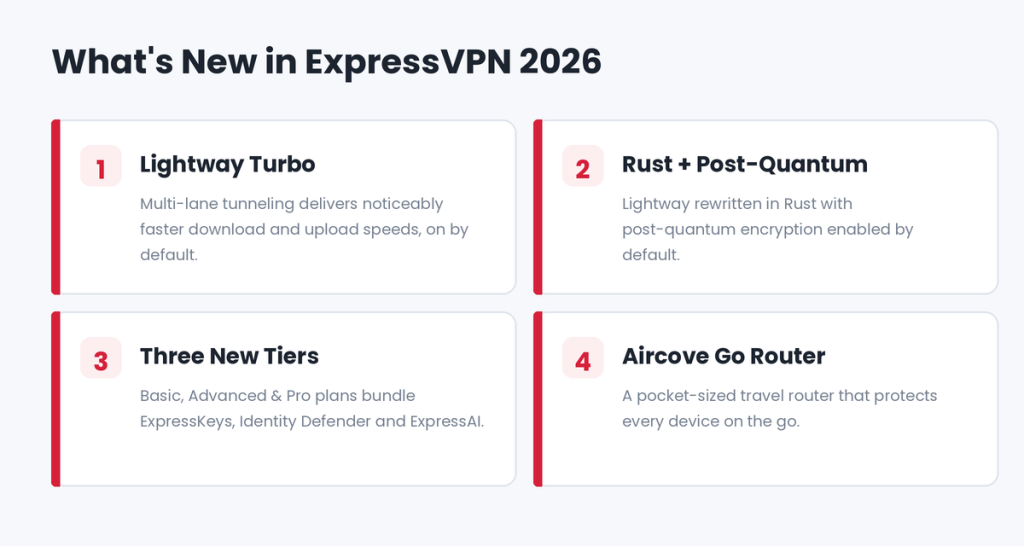
If you last used ExpressVPN a couple of years ago, the 2026 version is a meaningfully different product. Here’s what changed.
1. Lightway Turbo Faster Speeds
The biggest performance upgrade is Lightway Turbo, which uses multi-lane tunneling to split your traffic across multiple channels and servers simultaneously. The result is significantly higher download and upload speeds without adding latency.
Turbo landed first on the Windows app (v12+) and is on by default, with other platforms rolling out over 2026. The users who benefit most are those on very fast networks (900 Mbps+) or connecting to distant servers. Note: Turbo currently can’t be combined with split tunneling.
2. Lightway Rewritten in Rust + Post-Quantum Protection
ExpressVPN reimplemented Lightway from C into Rust, a modern language prized for memory safety. Crucially, Lightway now ships with post-quantum encryption by default, helping protect your sessions against future quantum-computing attacks a genuine forward-looking security win.
3. New Three-Tier Plans & Bundled Tools
ExpressVPN moved from a single product to three tiers Basic, Advanced, and Pro each bundling more privacy tools:
- ExpressKeys a built-in password manager (Advanced & Pro).
- Identity Defender data-broker removal, breach alerts, and ID-theft insurance (Advanced & Pro, US-focused).
- ExpressMailGuard private email aliases to shield your real inbox.
- ExpressAI a privacy-focused AI assistant introduced in early 2026, available on the Pro plan.
4. Aircove & Aircove Go Routers
For whole-home coverage, the Aircove router protects every connected device, and the newer Aircove Go is a pocket-sized travel router aimed at digital nomads and remote workers.
ExpressVPN Pricing & Plans 2026
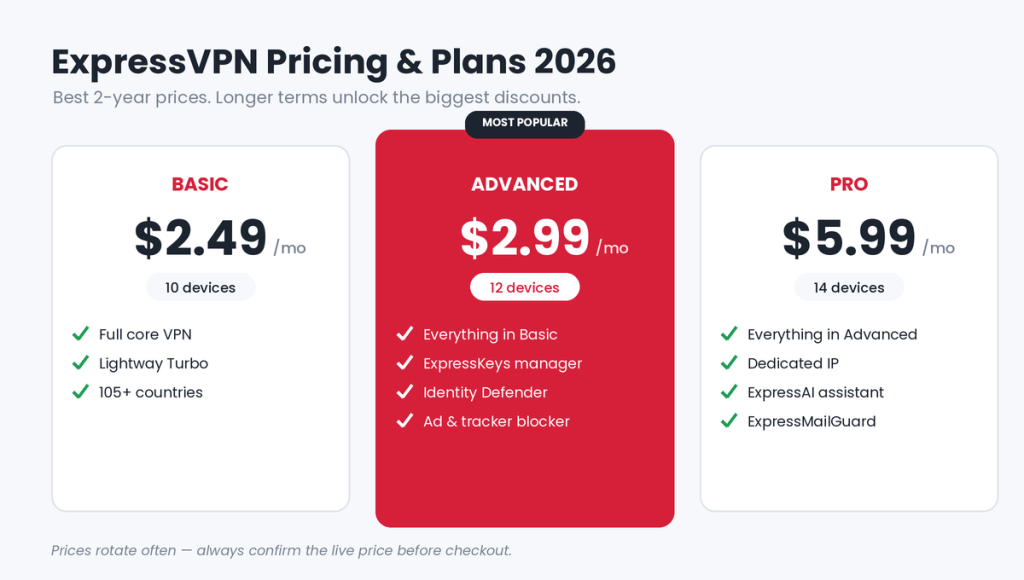
Let’s talk money because this is where ExpressVPN’s positioning matters most. The 2026 lineup has three tiers, and longer commitments unlock the biggest discounts.
| Plan | Best Price (2-Year) | Devices | Key Extras |
|---|---|---|---|
| Basic | from ~$2.49/mo | 10 | Full core VPN, Lightway, 105+ countries |
| Advanced | from ~$2.99/mo | 12 | + ExpressKeys, Identity Defender, ad/tracker blocker, eSIM data |
| Pro | from ~$5.99/mo | 14 | + Dedicated IP, ExpressAI, ExpressMailGuard, Aircove discount |
A few important notes:
- Bonus months: 1-year plans typically add 3 free months; 2-year plans add 4 free months.
- Monthly plans are far pricier up to $12.99-$19.99/month depending on tier.
- Renewal pricing rises after your first term, so mark your calendar.
- Payment methods include Visa, Mastercard, Amex, PayPal, Apple Pay, Google Pay, and select crypto options.
⚠️ Pricing changes often. VPN promotions rotate frequently always confirm the live price on the official ExpressVPN site before you check out.
ExpressVPN Coupons & Deals
The best value comes from the recurring promotional bundles. As of mid-2026, ExpressVPN is running up to 80% off the 2-year Basic plan plus 4 free months, and around 74% off the 2-year Advanced plan. You don’t need to hunt for a secret code — the discount is usually applied automatically when you choose a long-term plan. Watch for extra seasonal deals around major sales events, when ExpressVPN coupons and bundle offers tend to sweeten.
Is There an ExpressVPN Free Trial?
This is a common question, so let’s be precise:
- On desktop (Windows/Mac/Linux): There is no traditional free trial. Instead, every plan comes with a 30-day money-back guarantee, which works as a risk-free trial subscribe, test it fully, and request a refund via live chat if it isn’t for you.
- On mobile (iOS & Android): ExpressVPN offers a genuine 3-day free trial with full features and no card required during the trial one of the more generous mobile trials in 2026.
So if you specifically want a no-payment trial, start on your phone.
ExpressVPN 2026 Download: How to Get It on Every Device
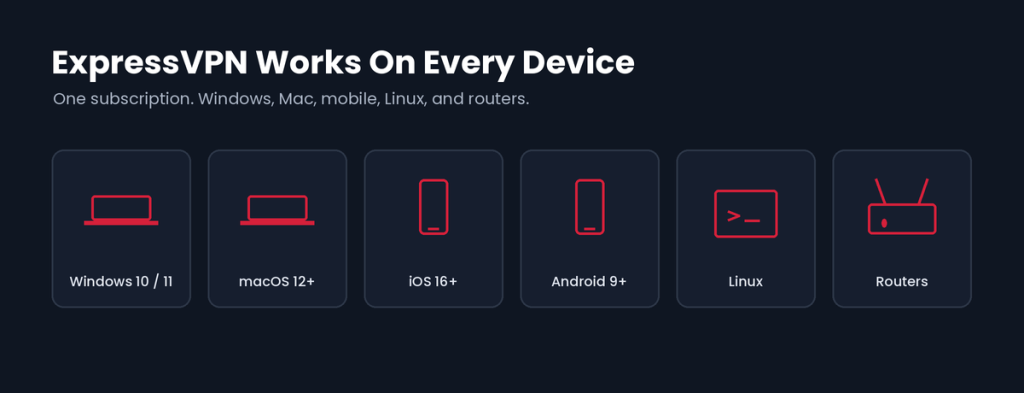
Getting the ExpressVPN Review 2026 download is straightforward. The golden rule: only download from the official source (expressvpn.com) or your device’s official app store. Third-party “cracked” or “portable” versions are a serious security risk they can bundle malware, and they defeat the entire purpose of using a privacy tool.
How to Download ExpressVPN 2026 (Step by Step)
- Go to the official ExpressVPN website and pick a plan.
- Create your account and complete payment.
- On the setup page, select your device (Windows, Mac, iOS, Android, Linux, or router).
- Click Download to get the installer for your platform.
- Grab your activation code from the setup page you’ll need it to sign in.
On mobile, simply search “ExpressVPN” in the Apple App Store or Google Play Store and tap install.
System Requirements for ExpressVPN in 2026
ExpressVPN is lightweight and runs comfortably on modern hardware. General requirements are:
- Windows: Windows 10 or Windows 11 (64-bit recommended).
- macOS: A recent macOS release (macOS 12 Monterey or later).
- iOS: iOS 16 or later (iPhone & iPad).
- Android: Android 9.0 or later.
- Linux: Ubuntu, Debian, Fedora, Mint, and other major distributions.
- Also supported: Routers, Amazon Fire TV, Apple TV, and browser extensions for Chrome, Firefox, and Edge.
- Connection: An active internet connection and a small amount of free disk space.
Minimum OS versions are occasionally updated check the official ExpressVPN site for the exact current requirements before installing.
How to Install ExpressVPN 2026
Once downloaded, installation takes about a minute:
- Open the installer you downloaded (or open the app after installing from the store).
- Follow the on-screen prompts and grant the requested permissions (a VPN needs permission to configure network settings).
- Sign in using your ExpressVPN account, or paste the activation code from the setup page.
- That’s it you’ll land on the main screen with a large on/off button.
The “Smart Location” feature auto-selects the fastest server for you, so you can connect with a single tap.
How to Use ExpressVPN on Windows 11
Using ExpressVPN on Windows 11 is beginner-friendly:
- Launch the app and sign in.
- Press the big power button to connect to the recommended Smart Location or click the location bar to pick a specific country.
- To customize, open Options / Protocol and enable Lightway Turbo (on by default) for maximum speed, or switch protocols if a network is blocking VPN traffic.
- Turn on Network Lock (ExpressVPN’s kill switch) so your traffic is cut if the VPN ever drops essential on public Wi-Fi.
- Use split tunneling if you want certain apps to bypass the VPN.
To disconnect, just press the power button again.
How to Use ExpressVPN on Mac
The Mac experience mirrors Windows with a clean, native interface:
- Open the app from your Applications folder or menu bar and sign in.
- Click the power button to connect; click the location selector to change servers.
- Head to Preferences to enable Network Lock, adjust protocols (Lightway is the default and best choice), or set up split tunneling.
- For always-on protection, enable launch on startup and auto-connect on untrusted networks.
Everything runs quietly in the background you’ll barely notice it’s on except for the peace of mind.
How to Use ExpressVPN on iPhone & Android
The mobile apps are arguably the smoothest way to use ExpressVPN:
- Install from the App Store (iPhone/iPad) or Google Play (Android).
- Sign in or start the 3-day free trial if you’re new.
- Tap Allow when prompted to add a VPN configuration (a one-time system permission).
- Tap the on button to connect instantly. Tap the location bar to switch countries.
- In the app’s Options, enable auto-connect so the VPN kicks in automatically whenever you join Wi-Fi.
Lightway’s smart handling of network changes means your VPN session survives when you switch between Wi-Fi and mobile data no annoying reconnects when you step into an elevator or leave the house.
ExpressVPN Login: Managing Your Account
Your ExpressVPN login works across two places:
- In the app: Sign in with your email and password, or use the activation code from setup.
- On the website: Log into your account dashboard to manage your subscription, view your activation code, set up new devices, and handle billing or renewals.
If you’re setting up a router or a device without an app store, the activation code is the fastest route. Keep it safe — anyone with it can add devices to your plan.
Security & Privacy: Is ExpressVPN Safe?
For a security brand like ours at Cracking Station, this is the section that matters most. ExpressVPN’s security stack is genuinely strong:
- AES-256 encryption and the Lightway protocol built on the audited wolfSSL library (FIPS 140-2 validated).
- Post-quantum protection enabled by default.
- TrustedServer RAM-only servers that hold no data after reboot.
- Network Lock kill switch and DNS leak protection.
- Obfuscation to disguise VPN traffic — useful in restrictive regions.
- An independently audited no-logs policy, repeatedly verified by third parties.
In short: ExpressVPN does the fundamentals right and backs its claims with external audits rather than marketing alone.
ExpressVPN Pros and Cons (2026)
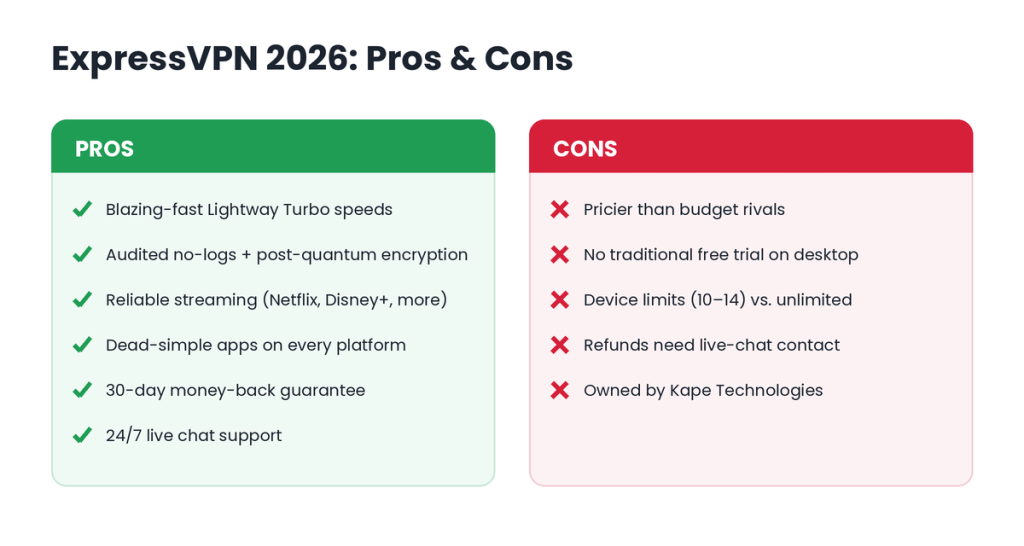
Pros
- Blazing-fast Lightway Turbo speeds
- Audited no-logs privacy + post-quantum encryption
- Reliable streaming (Netflix, Disney+, Prime Video, BBC iPlayer)
- Dead-simple apps for every platform
- 30-day money-back guarantee + mobile free trial
- 24/7 live chat support
Cons
- Pricier than budget rivals like Surfshark
- No traditional free trial on desktop
- Device limits (10–14) vs. “unlimited connections” from some competitors
- Refunds require contacting live chat (no self-serve button)
- Owned by Kape Technologies a dealbreaker for some purists
Who Should Use ExpressVPN in 2026?
- Everyday privacy seekers who want a “just works” VPN with minimal fiddling.
- Streamers who need reliable access to global libraries.
- Remote workers, freelancers, and digital nomads securing hotel and café Wi-Fi.
- Security professionals and ethical hackers who want fast, audited, obfuscation-capable tunnels for research and safe browsing.
- Businesses wanting an easy, reputable option for a distributed team.
If your only priority is the absolute lowest price, a budget VPN may suit you better. For everyone who values speed + trust + simplicity, ExpressVPN earns its premium.
Final Verdict: ExpressVPN Review 2026
ExpressVPN in 2026 is faster, more feature-rich, and thanks to the new Basic tier more affordable than the version most people remember. Lightway Turbo puts it among the quickest VPNs available, the security fundamentals are audited and solid, and the apps remain the easiest in the business.
It’s not perfect: budget shoppers can find cheaper, and the lack of a desktop free trial is a minor annoyance. But the 30-day money-back guarantee removes most of the risk. If you want a premium VPN that simply works, ExpressVPN remains one of the safest picks you can make in 2026.
Ready to try it? Grab the latest deal, download ExpressVPN for your device, and get protected in under five minutes.
Frequently Asked Questions (FAQ)
How to download ExpressVPN 2026?
Sign up on the official ExpressVPN website, choose your device on the setup page, and click Download or install the app directly from the Apple App Store or Google Play on mobile. Always avoid third-party or “cracked” versions.
How to install ExpressVPN 2026?
Open the downloaded installer (or app), follow the prompts, grant VPN permission, then sign in with your account or paste your activation code. Installation takes about a minute.
What's new in ExpressVPN's latest version?
The 2026 version adds Lightway Turbo for faster multi-lane speeds, Lightway rewritten in Rust with post-quantum encryption by default, three new plan tiers (Basic, Advanced, Pro), and bundled tools like ExpressKeys, ExpressAI, and Identity Defender.
What are the system requirements for ExpressVPN in 2026?
ExpressVPN runs on Windows 10/11, recent macOS (12 Monterey or later), iOS 16+, Android 9+, major Linux distros, routers, Fire TV, Apple TV, and browser extensions plus an active internet connection.
How to use ExpressVPN on Windows 11, Mac, iPhone & Android?
On every platform: open the app, sign in, and tap the power button to connect to the fastest Smart Location. Enable Network Lock (kill switch) for extra safety and auto-connect so it activates on new networks automatically.
- ExpressVPN – The Reliable All-Rounder Best VPN for Android
- NordVPN – The Feature-Rich Powerhouse Best VPN for Android
- Surfshark – Best Value for Money Best VPN for Android
- CyberGhost – The Visual Learner’s Choice
- ProtonVPN – Privacy-First Philosophy
- Mullvad VPN – The Minimalist’s Dream
- PureVPN – Balanced Performance
- Windscribe – Privacy-Focused with Personality
- TunnelBear – The Beginner-Friendly Option
- Private Internet Access (PIA) – No-Nonsense Performance Best VPN for Android
Related Resources